Hungarian based Digital Art Studio that communicates throughout contemporary generative art!

Generative Art Gallery

Instagram Feed

@linework.art
Gábor Bazsali

@linework.art

Hungarian based, creative digital art studio © Generative CNC Art Studio 🎨 | Unique, limited-edition algorithmic designs 📸 | Explore my webshop 👇|
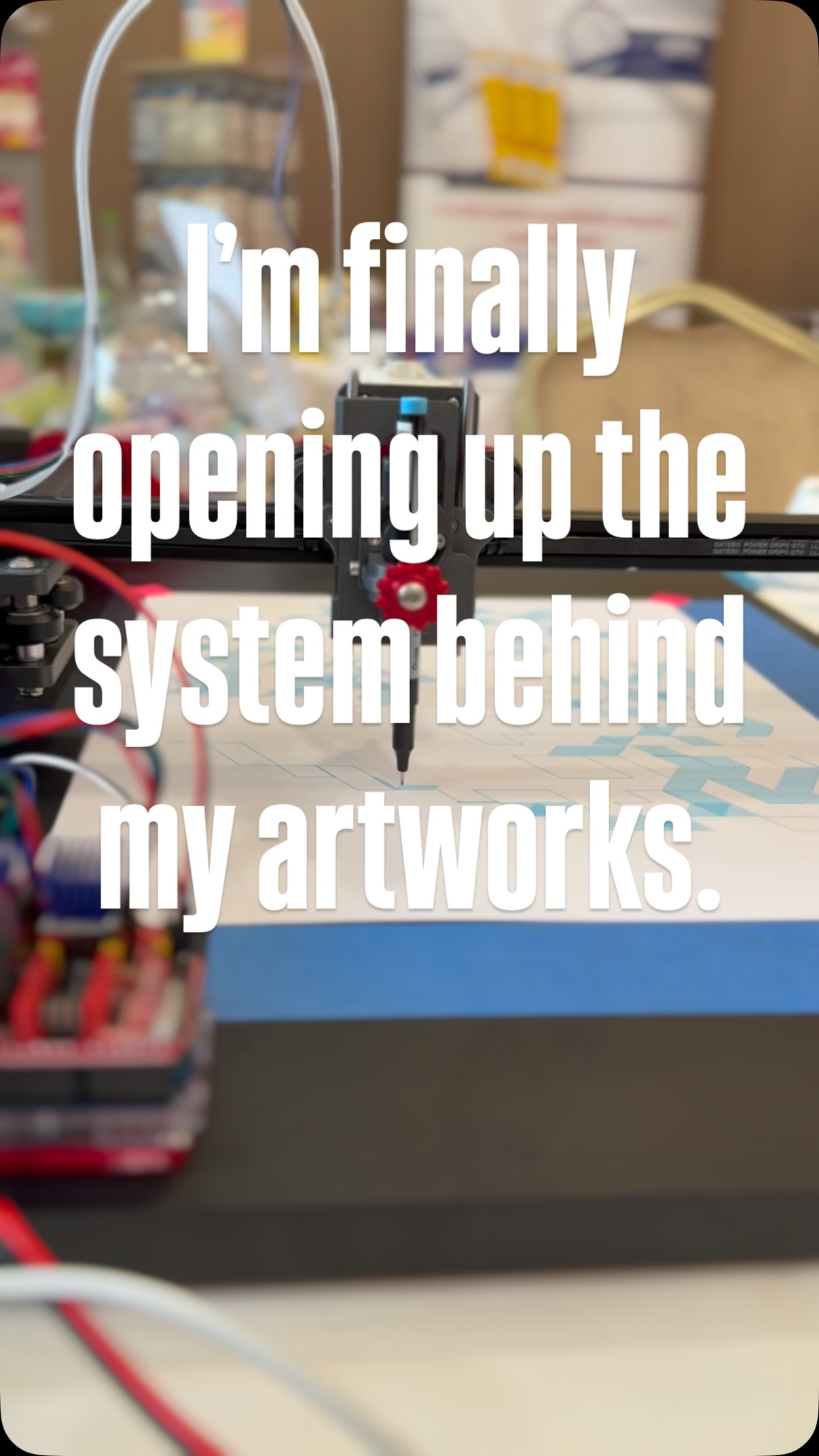
  • Most people see the artwork.
Few see the machine behind it.

Over the past 3 years, I’ve been refining a drawing system designed to transform algorithms into physical linework. Countless iterations, failed prints, redesigns, and small improvements eventually led to the machine I use today.

Now, for the first time, I’m opening up the system behind my artworks.

MakerKit Digital Builder Pack includes:
⚙️ STL Files
📋 Full BOM
🔧 Assembly Guide
💻 Electronics Recommendations
🧠 Workflow Insights

This isn’t just a folder of files.

It’s the build foundation behind my generative drawing process.

If you’ve ever wanted to explore the intersection of art, code, and machines, this is where it starts.

Comment SYSTEM to explore it🔒
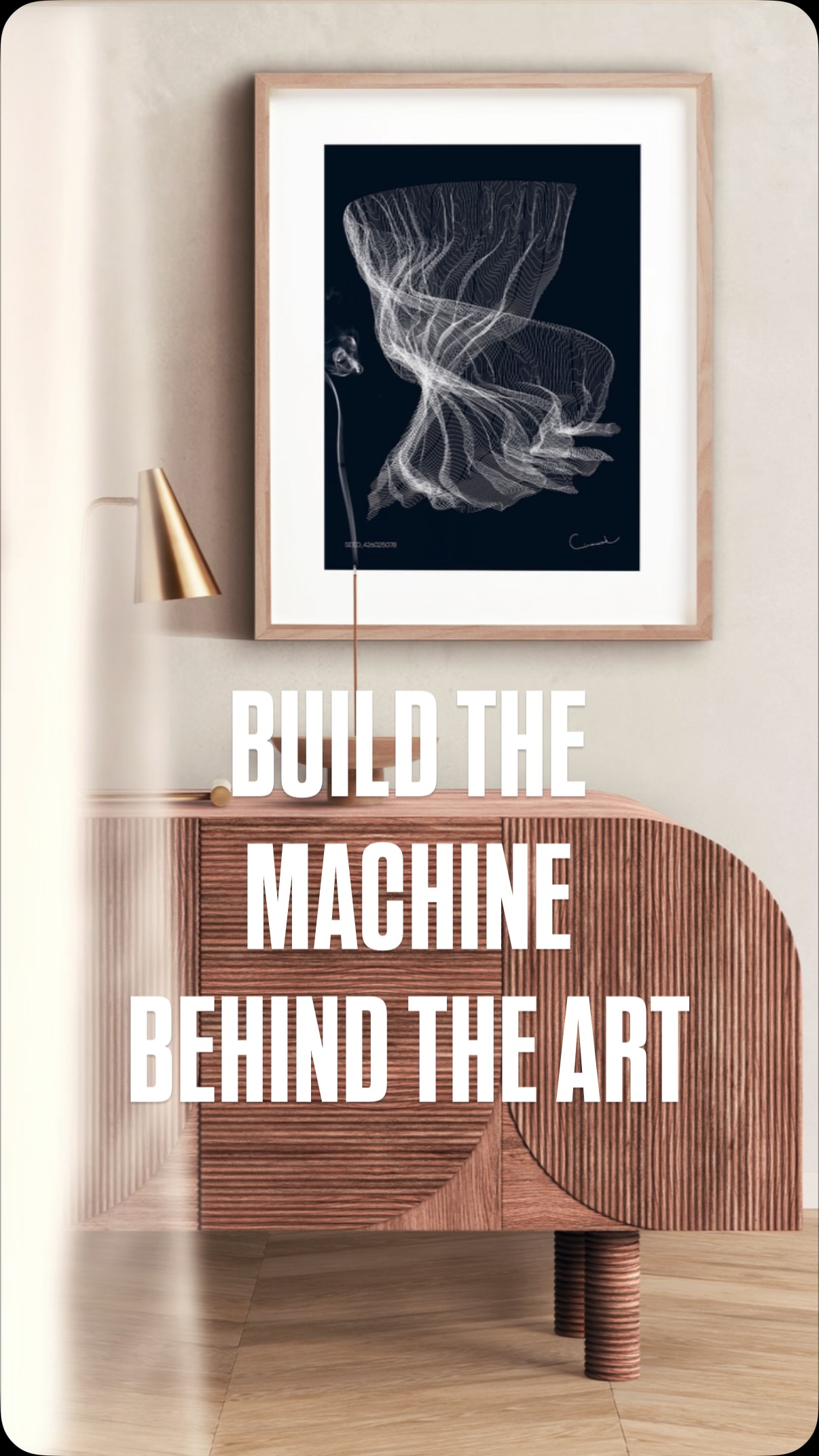
  • How to build your own drawing machine.

Here’s the truth about generative art:

❌ You don’t need an expensive plotter.
❌ You don’t need a workshop.
❌ You don’t need engineering experience.

✅ You just need the right system.

The machine behind my artworks started with:

• 3D printed parts
• Stepper motors
• Open-source electronics
• A few evenings of building
• A lot of curiosity

Today it creates artwork line by line. The same machine shown in this video is now available as a Digital Builder Pack:

✓ STL Files
✓ Complete BOM
✓ Assembly Guide
✓ Electronics Recommendations

Build the machine.
Create the art.
Link in bio. 🔗

#penplotter #art #codeart #diy
  • #penplotter #DIY #notion
  • You asked.
I listened. 👀

The files are finally opening. ⚙️📂

MakerKit Digital Builder Pack is the system behind my artworks - the actual printable parts, workflow logic, calibration notes and machine setup I use to create my pen plotter pieces. 🖊️🛠️

This is the first public digital release. 🚧

🫵 For makers, artists, engineers and curious minds who want to look behind the artwork and understand the machine behind the lines.

To be sure your access and get the infos from first hand, drop a comment: “ACCESS” 👇🔥

I’ll send you the entry point through DM.
#makerkit #cnc #dıy #penplotter
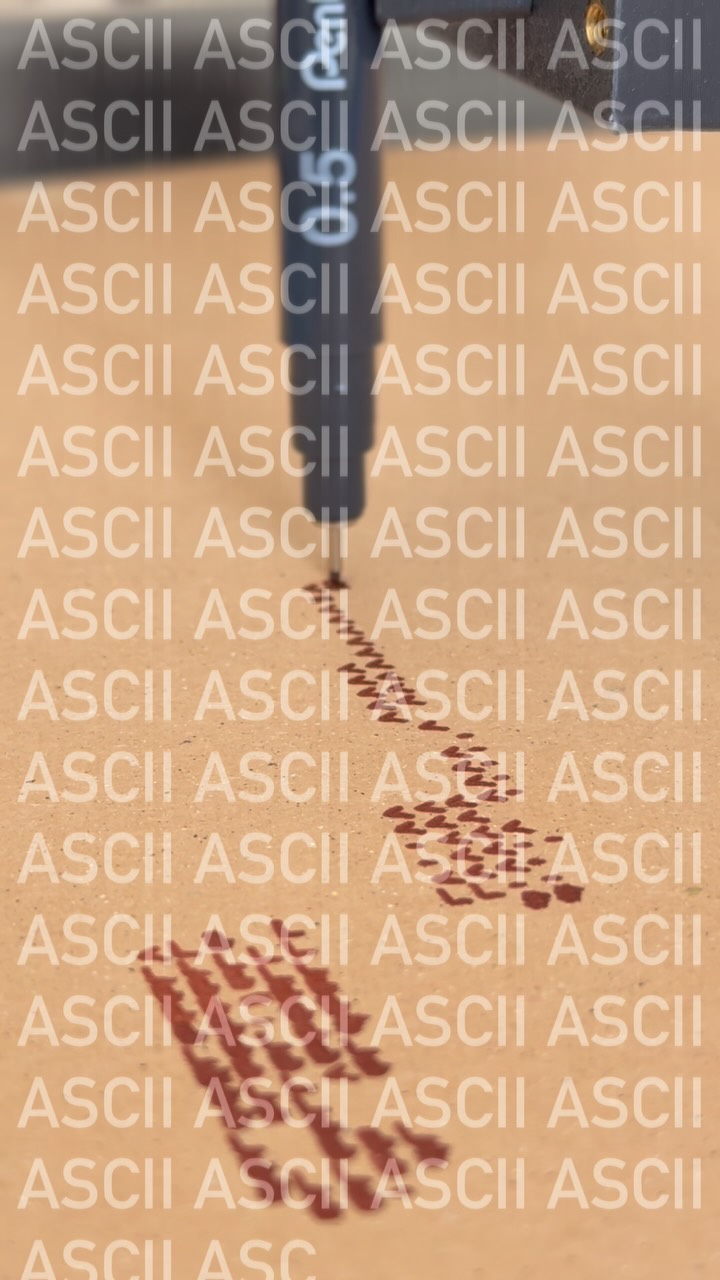
  • #penplotter #weekendvibes #art #ascii
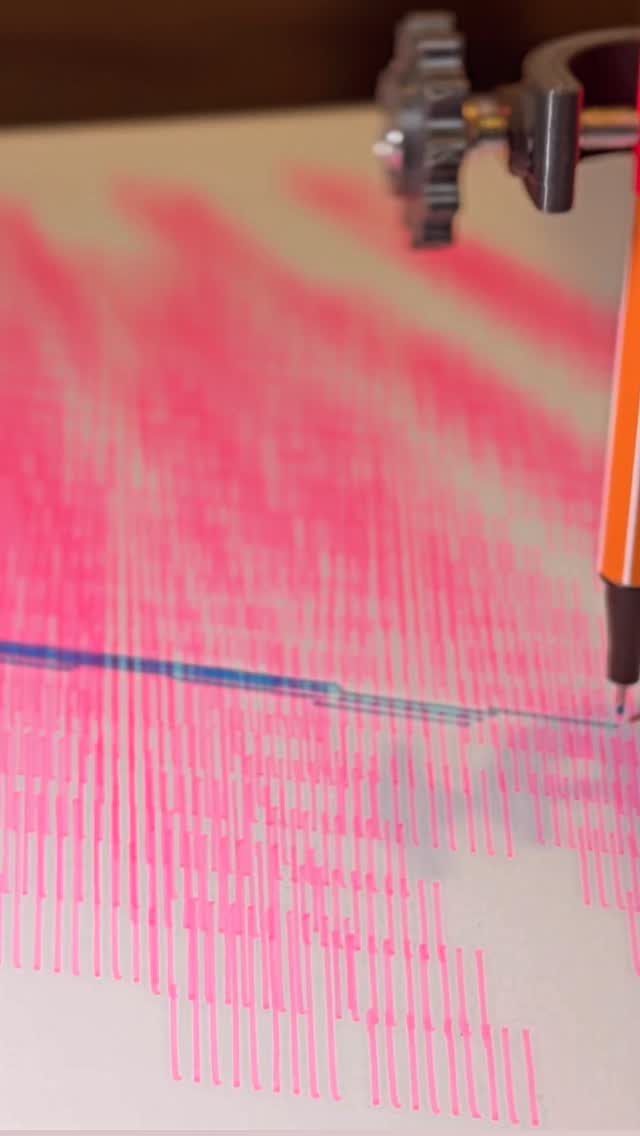
  • You’re watching ideas turn into motion.

This is not a finished product it’s the process.
Lines, iterations, small adjustments… again and again.
Every part you see here was tested, refined, rebuilt.

The MakerKit is the result of that journey.
A penplotter you assemble, understand, and make your own.

If you’re curious how it comes together
scan the code and step inside.

#cnc #penplotter #dıy #lineworkart #drawingmachine
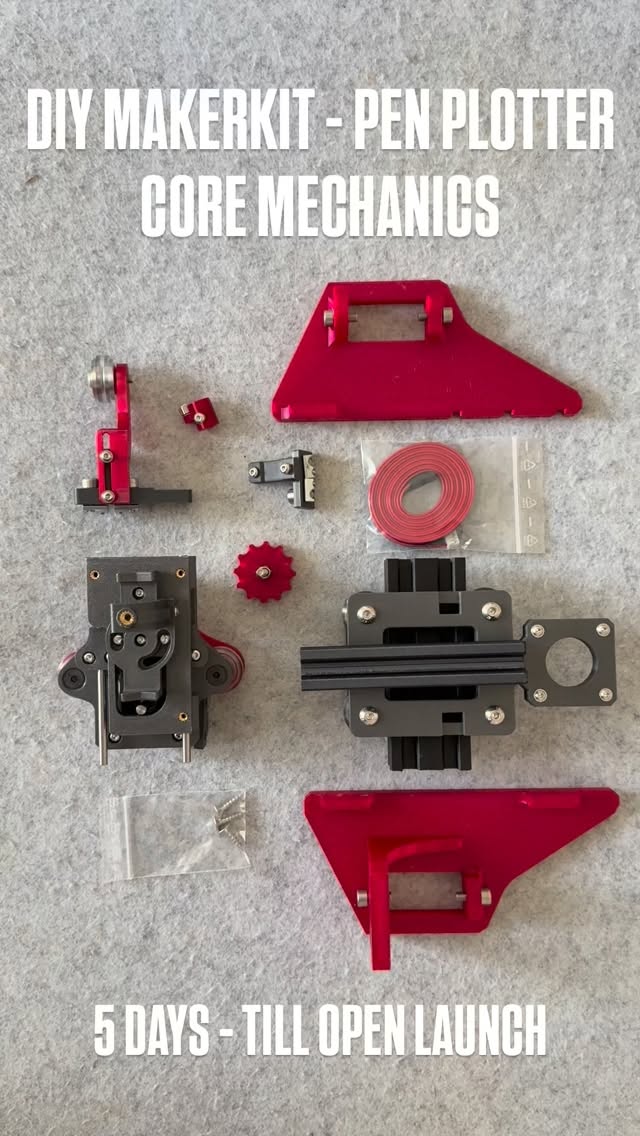
  • After weeks of testing, tweaking, and running beta prints…
the DIY MakerKit is officially open on 24th of April.

This is the exact system I use to build my pen plotter mechanics now broken down into a format you can actually assemble yourself.

Not a polished product.
Not a black box.
A maker-first kit.

What’s inside (V1):
– 3D printed structural parts (PLA Carbon Fibre, tuned for durability)
– V-slot wheel system + core mechanics
– Screws & essential hardware
– Assembly logic (step-by-step in Notion)

What’s NOT inside:
– Electronics
– Frame

→ intentionally. You build, you understand, you own it.

Why this exists

I didn’t want to sell a machine.
I wanted to create an entry point into building one.

Something that sits between:
YouTube chaos ↔ overpriced plug-and-play machines

⚠️ First batch is limited (10 kits)
This is still early-stage.
You’re not just buying a kit you’re shaping what comes next.

👉 Full breakdown via Notion: link in story

If you’ve ever thought about building your own plotter…
this is your door. 
#penplotter #art #minimalart #cnc
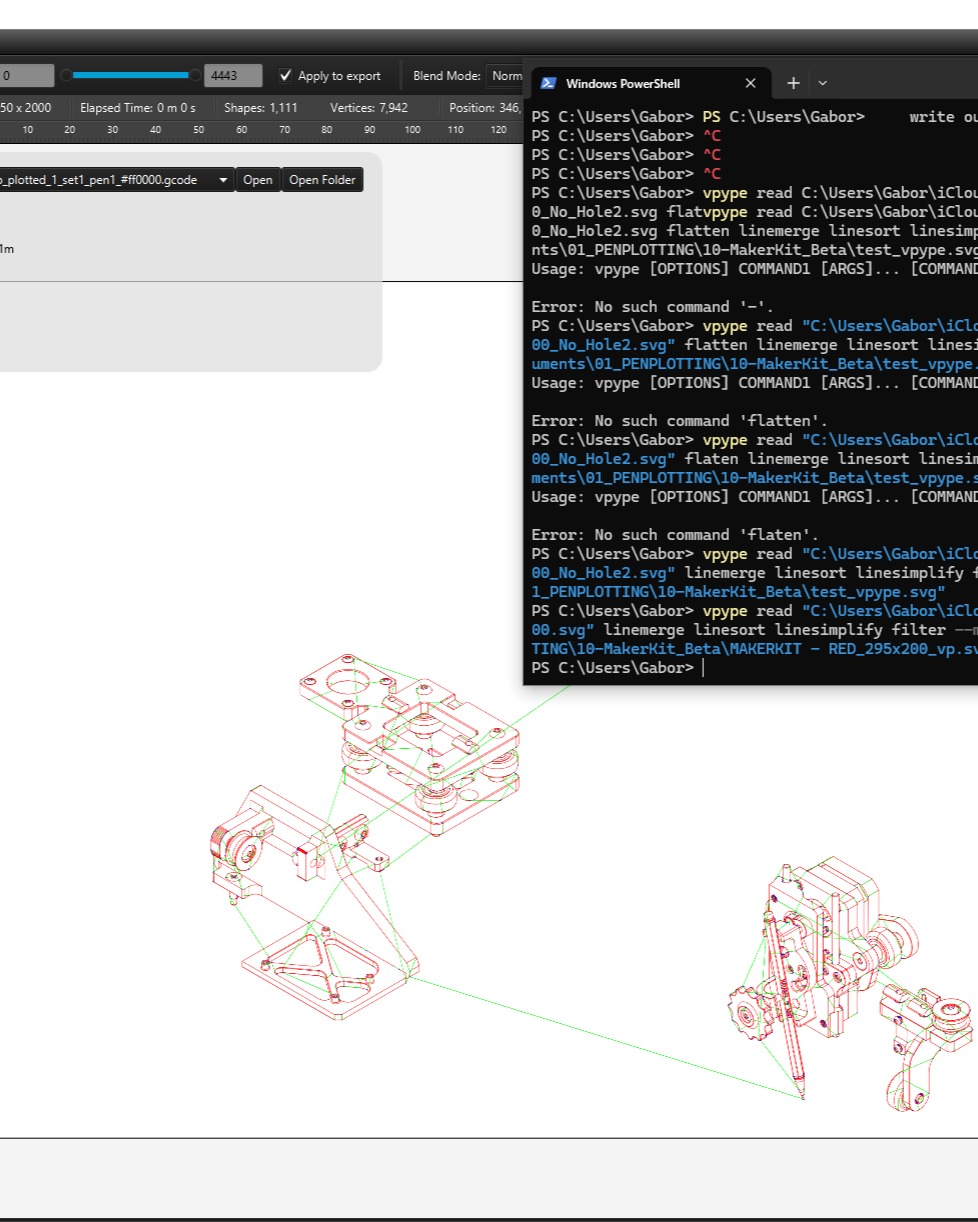
  • When your SVG breaks your G-code export… 👇

Today I ran into a classic (and pretty frustrating) issue while exporting from DrawingBot:

“Cannot invoke Point2D.getX() because point2D is null”

At first glance, it looks like a software bug but in reality, it’s almost always an SVG geometry problem.

⚠️ What’s actually happening?

One (or more) elements in the SVG:

has no valid coordinates
is a zero-length / broken path
or contains unsupported geometry

👉 Result: the exporter crashes because it can’t read a valid point.

🔍 The fix (that actually works)

Instead of hunting the broken element manually, I ran the file through vpype to clean the geometry:

vpype read input.svg linemerge linesimplify filter --min-length 0.2mm write output.svg

💡 Why this works:
linemerge → rebuilds broken paths
linesimplify → removes redundant points
filter → deletes tiny / invalid geometry (key step)
🧠 Important takeaway

If you work with:

generative geometry
CAD → SVG exports
parametric / plotter workflows

👉 Your SVG is not always “clean”, even if it looks fine.

✅ Pro tip (save yourself hours)

Before exporting to G-code:

Convert everything to paths (Illustrator / Inkscape)
Run a vpype cleanup pass
Then export

#educational #vpype #coder #lineworkart
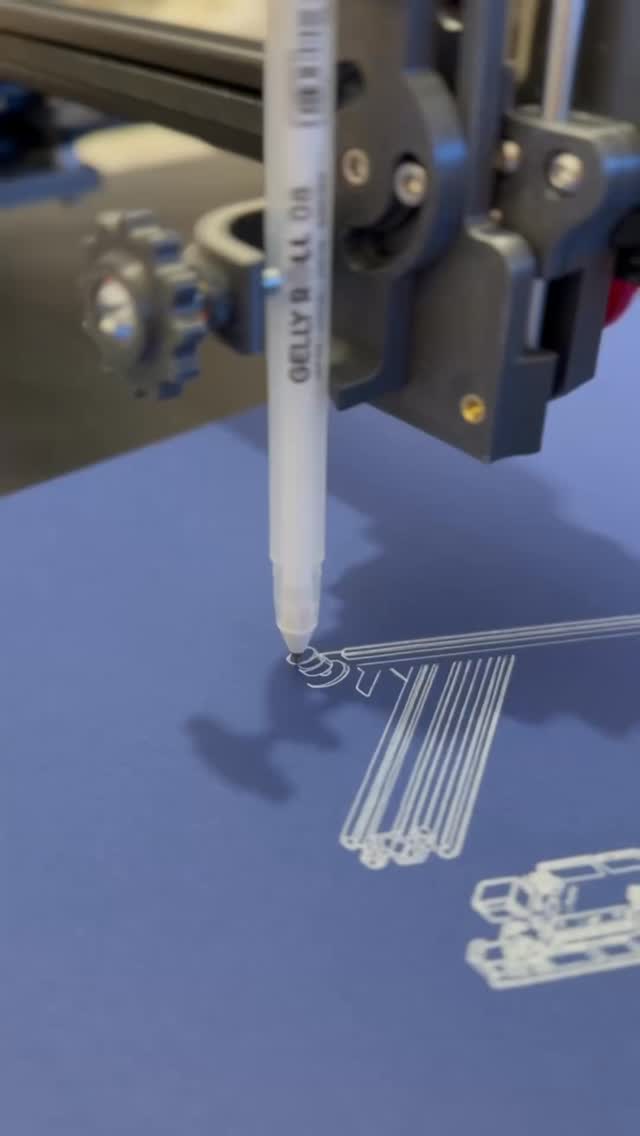
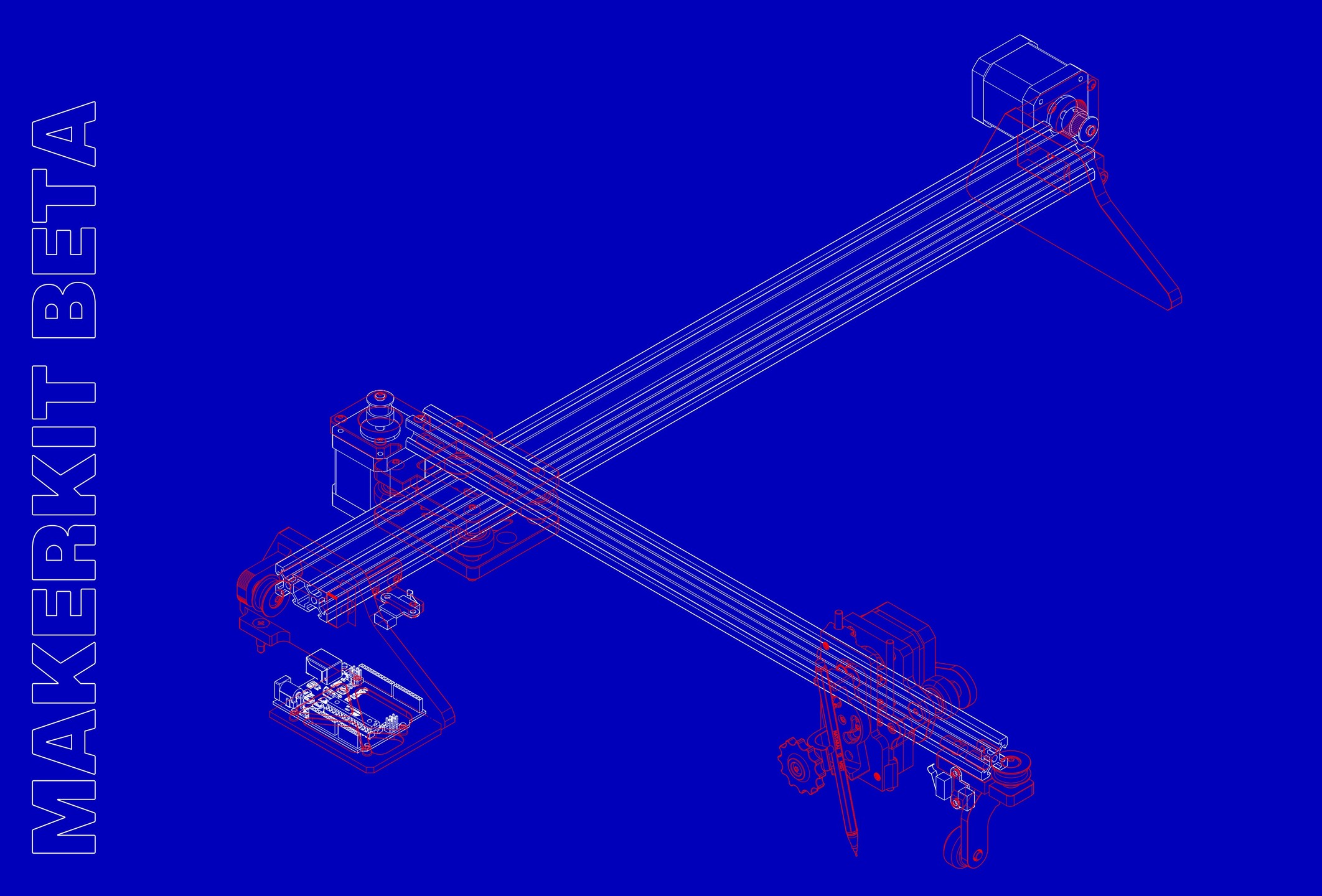
  • #blueprint #dıy #cnc
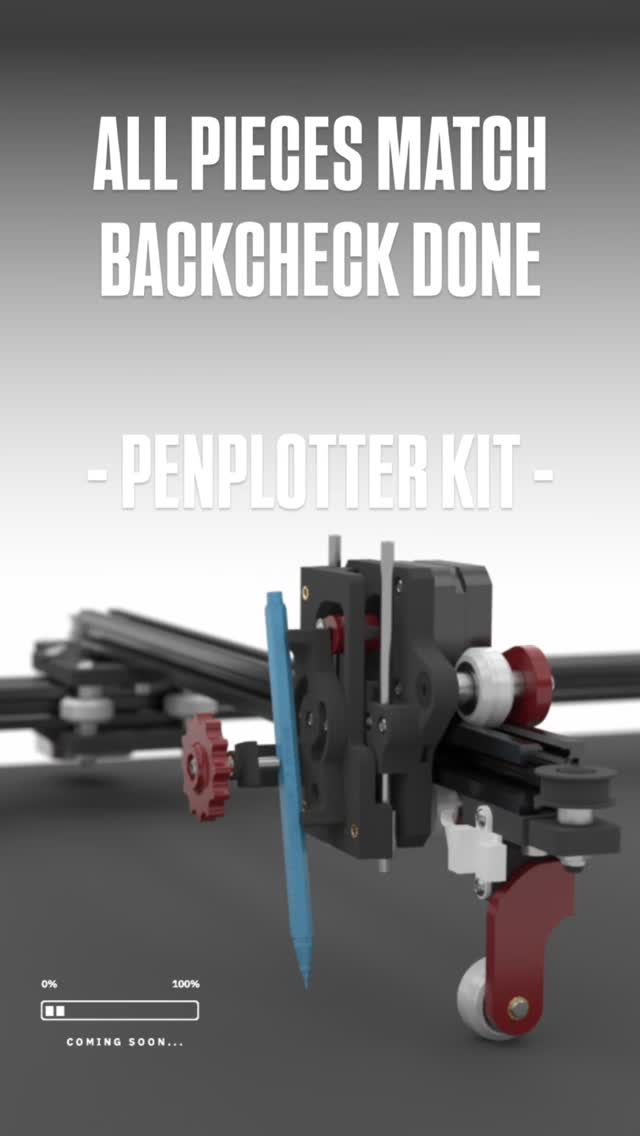
  • I didn’t plan to build a kit.

I just kept improving the machine, again and again, trying to make it more stable, more precise, more reliable.

Somewhere along the way, it turned into a complete system.

This is the final model.
Next step: pricing. Then launch.
#penplotter #art #lineworkart #cnc
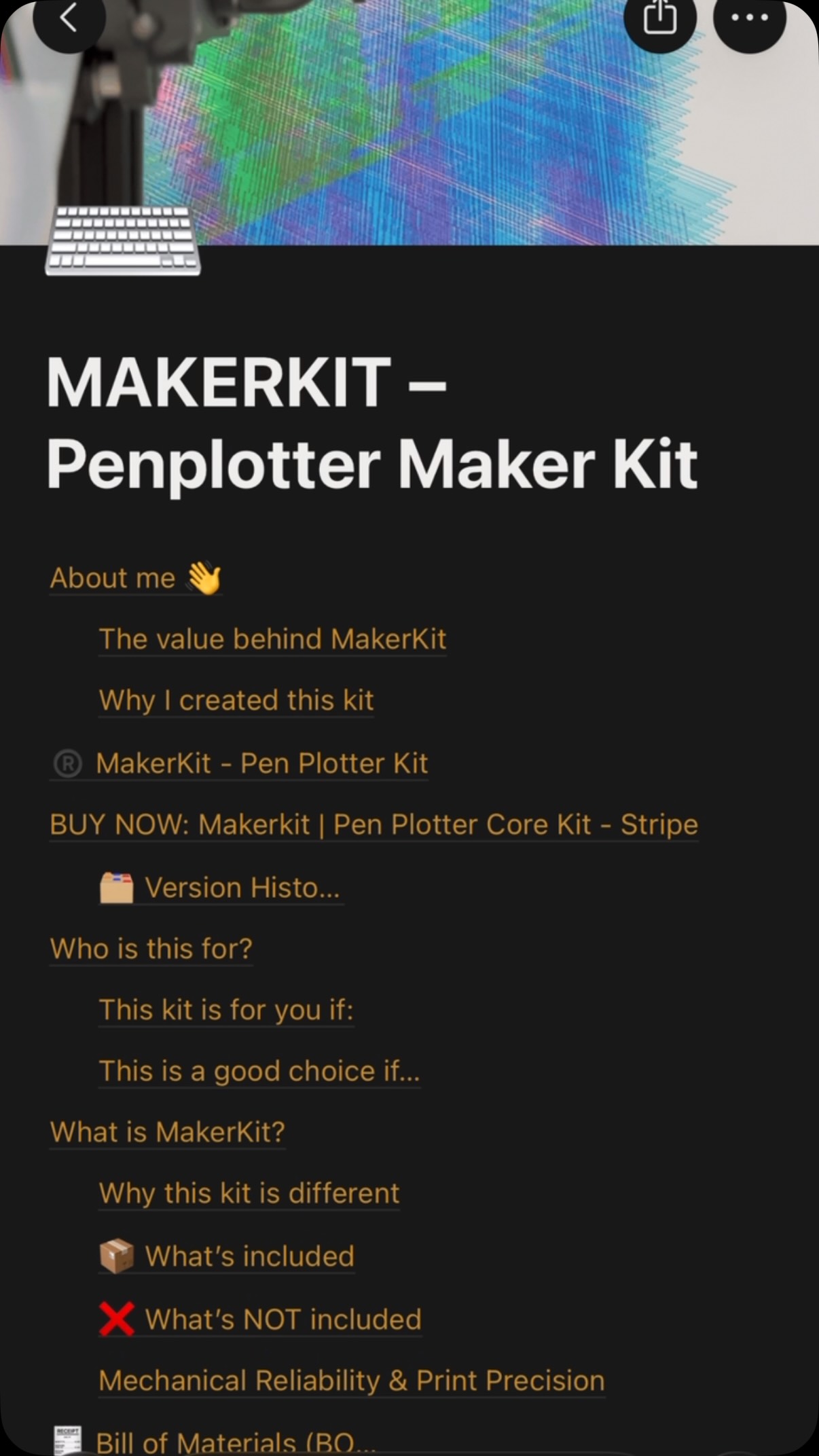
  • ✅This is more than just a Notion page.

It’s the structure behind a system I’ve been refining for years.

Every part, every step, every mistake… now organized into something buildable.

⚙️MakerKit is getting real.

First batch is coming soon.
And it won’t be for everyone.

DM “MAKERKIT” if you want in early. #penplotter #makerkit #diy #3dprinting
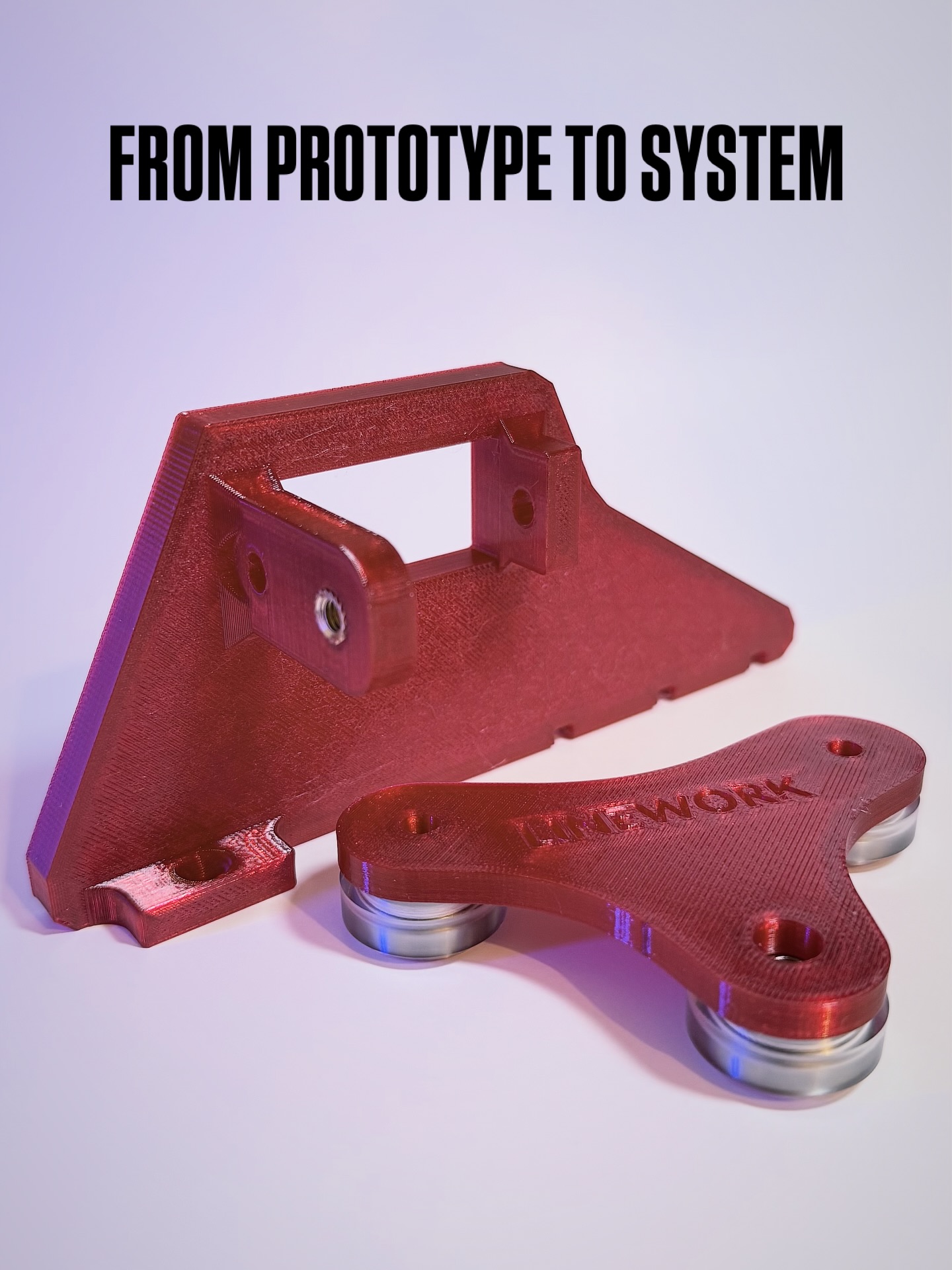
  • Not just parts. A system.

After weeks of redesign, testing, and refining the new components are finally coming together.

Every detail you see here exists for a reason:
stability, precision, repeatability.

This is the result of nearly 2 years of iteration solving problems you don’t have to.

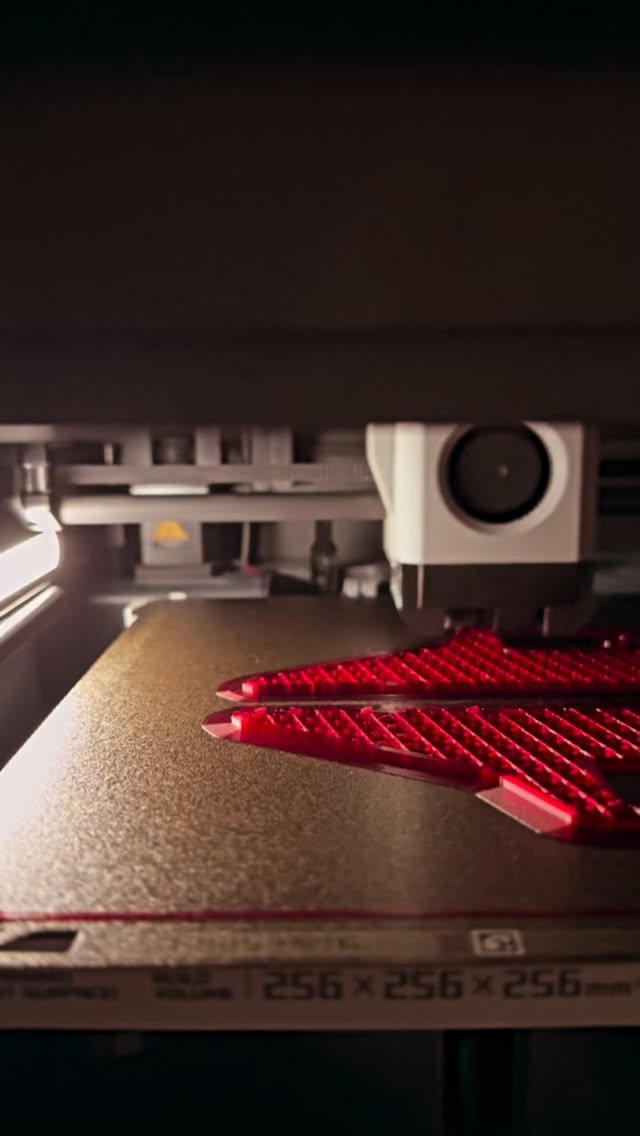
Now entering Beta Print phase.

The next step:
⚙️ preparing the first Maker Kit

The first batch will be very limited (5–10 units)
→ built to test, refine, and improve with real users

If you’ve ever thought about building your own plotter…

this is where it starts.

📩 DM me or comment below “MAKERKIT” if you want to be part of the first batch
  • 🔜
#diy #beta #penplotter
  • Don’t blink. Watch it again 👀🔥 3-4 timems 👌. 
#penplotterart #generativeart #asmr #ascii #lineworkart
  • New direction. Same obsession.
This time I stepped into CMYK layering cyan, magenta, yellow and their intersections into a plot that feels somewhere between signal, structure, and glitch.

What I love in this piece is the tension:
from a distance it looks almost digital,
but up close every line is physical, plotted, imperfect, real.

Built line by line, color by color, where precision meets interference.

For me, this one feels like a study of translation
how code becomes movement, movement becomes ink,
and ink becomes something almost alive.

Would you hang this color direction on your wall?

#lineworkart #penplotter #generativeart
Most people see the artwork. Few see the machine behind it. Over the past 3 years, I’ve been refining a drawing system designed to transform algorithms into physical linework. Countless iterations, failed prints, redesigns, and small improvements eventually led to the machine I use today. Now, for the first time, I’m opening up the system behind my artworks. MakerKit Digital Builder Pack includes: ⚙️ STL Files 📋 Full BOM 🔧 Assembly Guide 💻 Electronics Recommendations 🧠 Workflow Insights This isn’t just a folder of files. It’s the build foundation behind my generative drawing process. If you’ve ever wanted to explore the intersection of art, code, and machines, this is where it starts. Comment SYSTEM to explore it🔒
5 hours ago
View on Instagram |
1/15
How to build your own drawing machine. Here’s the truth about generative art: ❌ You don’t need an expensive plotter. ❌ You don’t need a workshop. ❌ You don’t need engineering experience. ✅ You just need the right system. The machine behind my artworks started with: • 3D printed parts • Stepper motors • Open-source electronics • A few evenings of building • A lot of curiosity Today it creates artwork line by line. The same machine shown in this video is now available as a Digital Builder Pack: ✓ STL Files ✓ Complete BOM ✓ Assembly Guide ✓ Electronics Recommendations Build the machine. Create the art. Link in bio. 🔗 #penplotter #art #codeart #diy
3 days ago
View on Instagram |
2/15
#penplotter #DIY #notion
4 days ago
View on Instagram |
3/15
You asked.
I listened. 👀

The files are finally opening. ⚙️📂

MakerKit Digital Builder Pack is the system behind my artworks - the actual printable parts, workflow logic, calibration notes and machine setup I use to create my pen plotter pieces. 🖊️🛠️

This is the first public digital release. 🚧

🫵 For makers, artists, engineers and curious minds who want to look behind the artwork and understand the machine behind the lines.

To be sure your access and get the infos from first hand, drop a comment: “ACCESS” 👇🔥

I’ll send you the entry point through DM.
#makerkit #cnc #dıy #penplotter
You asked.
I listened. 👀

The files are finally opening. ⚙️📂

MakerKit Digital Builder Pack is the system behind my artworks - the actual printable parts, workflow logic, calibration notes and machine setup I use to create my pen plotter pieces. 🖊️🛠️

This is the first public digital release. 🚧

🫵 For makers, artists, engineers and curious minds who want to look behind the artwork and understand the machine behind the lines.

To be sure your access and get the infos from first hand, drop a comment: “ACCESS” 👇🔥

I’ll send you the entry point through DM.
#makerkit #cnc #dıy #penplotter
You asked.
I listened. 👀

The files are finally opening. ⚙️📂

MakerKit Digital Builder Pack is the system behind my artworks - the actual printable parts, workflow logic, calibration notes and machine setup I use to create my pen plotter pieces. 🖊️🛠️

This is the first public digital release. 🚧

🫵 For makers, artists, engineers and curious minds who want to look behind the artwork and understand the machine behind the lines.

To be sure your access and get the infos from first hand, drop a comment: “ACCESS” 👇🔥

I’ll send you the entry point through DM.
#makerkit #cnc #dıy #penplotter
You asked.
I listened. 👀

The files are finally opening. ⚙️📂

MakerKit Digital Builder Pack is the system behind my artworks - the actual printable parts, workflow logic, calibration notes and machine setup I use to create my pen plotter pieces. 🖊️🛠️

This is the first public digital release. 🚧

🫵 For makers, artists, engineers and curious minds who want to look behind the artwork and understand the machine behind the lines.

To be sure your access and get the infos from first hand, drop a comment: “ACCESS” 👇🔥

I’ll send you the entry point through DM.
#makerkit #cnc #dıy #penplotter
You asked.
I listened. 👀

The files are finally opening. ⚙️📂

MakerKit Digital Builder Pack is the system behind my artworks - the actual printable parts, workflow logic, calibration notes and machine setup I use to create my pen plotter pieces. 🖊️🛠️

This is the first public digital release. 🚧

🫵 For makers, artists, engineers and curious minds who want to look behind the artwork and understand the machine behind the lines.

To be sure your access and get the infos from first hand, drop a comment: “ACCESS” 👇🔥

I’ll send you the entry point through DM.
#makerkit #cnc #dıy #penplotter
You asked. I listened. 👀 The files are finally opening. ⚙️📂 MakerKit Digital Builder Pack is the system behind my artworks – the actual printable parts, workflow logic, calibration notes and machine setup I use to create my pen plotter pieces. 🖊️🛠️ This is the first public digital release. 🚧 🫵 For makers, artists, engineers and curious minds who want to look behind the artwork and understand the machine behind the lines. To be sure your access and get the infos from first hand, drop a comment: “ACCESS” 👇🔥 I’ll send you the entry point through DM. #makerkit #cnc #dıy #penplotter
3 weeks ago
View on Instagram |
4/15
#penplotter #weekendvibes #art #ascii
4 weeks ago
View on Instagram |
5/15
You’re watching ideas turn into motion. This is not a finished product it’s the process. Lines, iterations, small adjustments… again and again. Every part you see here was tested, refined, rebuilt. The MakerKit is the result of that journey. A penplotter you assemble, understand, and make your own. If you’re curious how it comes together scan the code and step inside. #cnc #penplotter #dıy #lineworkart #drawingmachine
2 months ago
View on Instagram |
6/15
After weeks of testing, tweaking, and running beta prints… the DIY MakerKit is officially open on 24th of April. This is the exact system I use to build my pen plotter mechanics now broken down into a format you can actually assemble yourself. Not a polished product. Not a black box. A maker-first kit. What’s inside (V1): – 3D printed structural parts (PLA Carbon Fibre, tuned for durability) – V-slot wheel system + core mechanics – Screws & essential hardware – Assembly logic (step-by-step in Notion) What’s NOT inside: – Electronics – Frame → intentionally. You build, you understand, you own it. Why this exists I didn’t want to sell a machine. I wanted to create an entry point into building one. Something that sits between: YouTube chaos ↔ overpriced plug-and-play machines ⚠️ First batch is limited (10 kits) This is still early-stage. You’re not just buying a kit you’re shaping what comes next. 👉 Full breakdown via Notion: link in story If you’ve ever thought about building your own plotter… this is your door. #penplotter #art #minimalart #cnc
2 months ago
View on Instagram |
7/15
When your SVG breaks your G-code export… 👇

Today I ran into a classic (and pretty frustrating) issue while exporting from DrawingBot:

“Cannot invoke Point2D.getX() because point2D is null”

At first glance, it looks like a software bug but in reality, it’s almost always an SVG geometry problem.

⚠️ What’s actually happening?

One (or more) elements in the SVG:

has no valid coordinates
is a zero-length / broken path
or contains unsupported geometry

👉 Result: the exporter crashes because it can’t read a valid point.

🔍 The fix (that actually works)

Instead of hunting the broken element manually, I ran the file through vpype to clean the geometry:

vpype read input.svg linemerge linesimplify filter --min-length 0.2mm write output.svg

💡 Why this works:
linemerge → rebuilds broken paths
linesimplify → removes redundant points
filter → deletes tiny / invalid geometry (key step)
🧠 Important takeaway

If you work with:

generative geometry
CAD → SVG exports
parametric / plotter workflows

👉 Your SVG is not always “clean”, even if it looks fine.

✅ Pro tip (save yourself hours)

Before exporting to G-code:

Convert everything to paths (Illustrator / Inkscape)
Run a vpype cleanup pass
Then export

#educational #vpype #coder #lineworkart
When your SVG breaks your G-code export… 👇 Today I ran into a classic (and pretty frustrating) issue while exporting from DrawingBot: “Cannot invoke Point2D.getX() because point2D is null” At first glance, it looks like a software bug but in reality, it’s almost always an SVG geometry problem. ⚠️ What’s actually happening? One (or more) elements in the SVG: has no valid coordinates is a zero-length / broken path or contains unsupported geometry 👉 Result: the exporter crashes because it can’t read a valid point. 🔍 The fix (that actually works) Instead of hunting the broken element manually, I ran the file through vpype to clean the geometry: vpype read input.svg linemerge linesimplify filter –min-length 0.2mm write output.svg 💡 Why this works: linemerge → rebuilds broken paths linesimplify → removes redundant points filter → deletes tiny / invalid geometry (key step) 🧠 Important takeaway If you work with: generative geometry CAD → SVG exports parametric / plotter workflows 👉 Your SVG is not always “clean”, even if it looks fine. ✅ Pro tip (save yourself hours) Before exporting to G-code: Convert everything to paths (Illustrator / Inkscape) Run a vpype cleanup pass Then export #educational #vpype #coder #lineworkart
2 months ago
View on Instagram |
8/15
#blueprint #dıy #cnc
2 months ago
View on Instagram |
9/15
I didn’t plan to build a kit. I just kept improving the machine, again and again, trying to make it more stable, more precise, more reliable. Somewhere along the way, it turned into a complete system. This is the final model. Next step: pricing. Then launch. #penplotter #art #lineworkart #cnc
2 months ago
View on Instagram |
10/15
✅This is more than just a Notion page. It’s the structure behind a system I’ve been refining for years. Every part, every step, every mistake… now organized into something buildable. ⚙️MakerKit is getting real. First batch is coming soon. And it won’t be for everyone. DM “MAKERKIT” if you want in early. #penplotter #makerkit #diy #3dprinting
2 months ago
View on Instagram |
11/15
Not just parts. A system.

After weeks of redesign, testing, and refining the new components are finally coming together.

Every detail you see here exists for a reason:
stability, precision, repeatability.

This is the result of nearly 2 years of iteration solving problems you don’t have to.

Now entering Beta Print phase.

The next step:
⚙️ preparing the first Maker Kit

The first batch will be very limited (5–10 units)
→ built to test, refine, and improve with real users

If you’ve ever thought about building your own plotter…

this is where it starts.

📩 DM me or comment below “MAKERKIT” if you want to be part of the first batch
Not just parts. A system.

After weeks of redesign, testing, and refining the new components are finally coming together.

Every detail you see here exists for a reason:
stability, precision, repeatability.

This is the result of nearly 2 years of iteration solving problems you don’t have to.

Now entering Beta Print phase.

The next step:
⚙️ preparing the first Maker Kit

The first batch will be very limited (5–10 units)
→ built to test, refine, and improve with real users

If you’ve ever thought about building your own plotter…

this is where it starts.

📩 DM me or comment below “MAKERKIT” if you want to be part of the first batch
Not just parts. A system.

After weeks of redesign, testing, and refining the new components are finally coming together.

Every detail you see here exists for a reason:
stability, precision, repeatability.

This is the result of nearly 2 years of iteration solving problems you don’t have to.

Now entering Beta Print phase.

The next step:
⚙️ preparing the first Maker Kit

The first batch will be very limited (5–10 units)
→ built to test, refine, and improve with real users

If you’ve ever thought about building your own plotter…

this is where it starts.

📩 DM me or comment below “MAKERKIT” if you want to be part of the first batch
Not just parts. A system.

After weeks of redesign, testing, and refining the new components are finally coming together.

Every detail you see here exists for a reason:
stability, precision, repeatability.

This is the result of nearly 2 years of iteration solving problems you don’t have to.

Now entering Beta Print phase.

The next step:
⚙️ preparing the first Maker Kit

The first batch will be very limited (5–10 units)
→ built to test, refine, and improve with real users

If you’ve ever thought about building your own plotter…

this is where it starts.

📩 DM me or comment below “MAKERKIT” if you want to be part of the first batch
Not just parts. A system.

After weeks of redesign, testing, and refining the new components are finally coming together.

Every detail you see here exists for a reason:
stability, precision, repeatability.

This is the result of nearly 2 years of iteration solving problems you don’t have to.

Now entering Beta Print phase.

The next step:
⚙️ preparing the first Maker Kit

The first batch will be very limited (5–10 units)
→ built to test, refine, and improve with real users

If you’ve ever thought about building your own plotter…

this is where it starts.

📩 DM me or comment below “MAKERKIT” if you want to be part of the first batch
Not just parts. A system.

After weeks of redesign, testing, and refining the new components are finally coming together.

Every detail you see here exists for a reason:
stability, precision, repeatability.

This is the result of nearly 2 years of iteration solving problems you don’t have to.

Now entering Beta Print phase.

The next step:
⚙️ preparing the first Maker Kit

The first batch will be very limited (5–10 units)
→ built to test, refine, and improve with real users

If you’ve ever thought about building your own plotter…

this is where it starts.

📩 DM me or comment below “MAKERKIT” if you want to be part of the first batch
Not just parts. A system.

After weeks of redesign, testing, and refining the new components are finally coming together.

Every detail you see here exists for a reason:
stability, precision, repeatability.

This is the result of nearly 2 years of iteration solving problems you don’t have to.

Now entering Beta Print phase.

The next step:
⚙️ preparing the first Maker Kit

The first batch will be very limited (5–10 units)
→ built to test, refine, and improve with real users

If you’ve ever thought about building your own plotter…

this is where it starts.

📩 DM me or comment below “MAKERKIT” if you want to be part of the first batch
Not just parts. A system. After weeks of redesign, testing, and refining the new components are finally coming together. Every detail you see here exists for a reason: stability, precision, repeatability. This is the result of nearly 2 years of iteration solving problems you don’t have to. Now entering Beta Print phase. The next step: ⚙️ preparing the first Maker Kit The first batch will be very limited (5–10 units) → built to test, refine, and improve with real users If you’ve ever thought about building your own plotter… this is where it starts. 📩 DM me or comment below “MAKERKIT” if you want to be part of the first batch
3 months ago
View on Instagram |
12/15
🔜 #diy #beta #penplotter
3 months ago
View on Instagram |
13/15
Don’t blink. Watch it again 👀🔥 3-4 timems 👌. #penplotterart #generativeart #asmr #ascii #lineworkart
3 months ago
View on Instagram |
14/15
New direction. Same obsession. This time I stepped into CMYK layering cyan, magenta, yellow and their intersections into a plot that feels somewhere between signal, structure, and glitch. What I love in this piece is the tension: from a distance it looks almost digital, but up close every line is physical, plotted, imperfect, real. Built line by line, color by color, where precision meets interference. For me, this one feels like a study of translation how code becomes movement, movement becomes ink, and ink becomes something almost alive. Would you hang this color direction on your wall? #lineworkart #penplotter #generativeart
3 months ago
View on Instagram |
15/15
Updating
  • No products in the cart.